We may earn a commission from links you visit through Coupon Snake.
It’s 3 PM, your to-do list is still staring back at you, and somehow you’ve scrolled through 12 tabs, answered 8 emails, and accomplished… nothing. Sound familiar? You’re not lazy—you just haven’t built a system that protects your focus.
Remote work isn’t inherently productive or distracting. It’s the tools, habits, and systems around you that determine whether your day feels scattered or structured. With the right approach, procrastination isn’t a flaw—it’s a signal that your workflow needs better design.
This guide walks you through the best remote work tools—each step building on the last—to turn distraction into deep focus, chaos into clarity, and procrastination into momentum.
Your Complete Remote Work System: From Chaos to Consistent Flow
Each of these tools is powerful on its own—but when you use them together, they create something even better: rhythm. You track your time, organize your work, communicate with clarity, block distractions, automate the routine, and protect your energy.
It’s a system where every part supports the next—where procrastination quietly fades, and productive flow becomes your default state.
1. Time Tracking Tools: See Where Your Hours Really Go
Before you can reclaim focus, you need to see where your time actually disappears. Out of sight, out of mind—until you realize the day is gone.
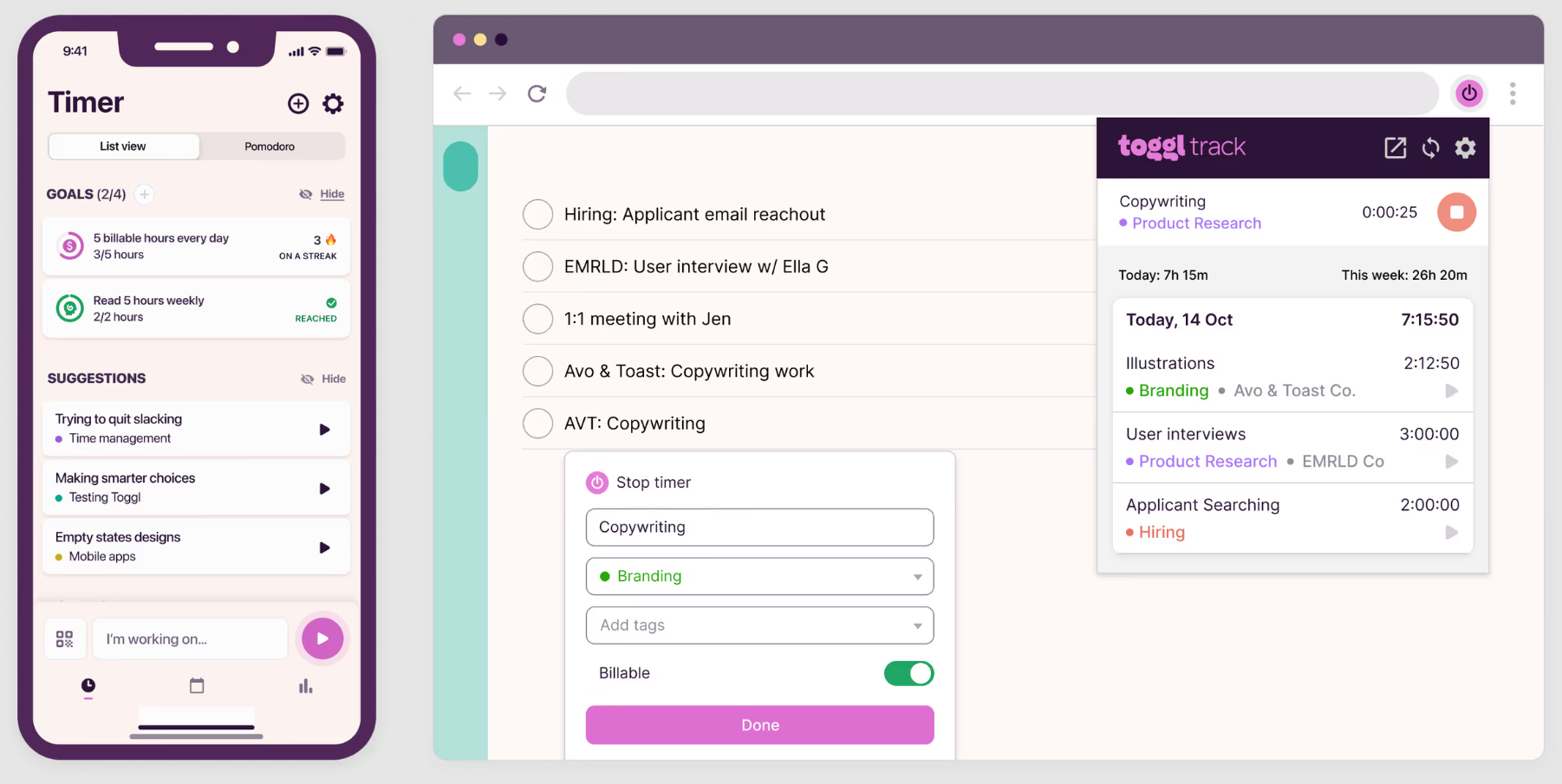
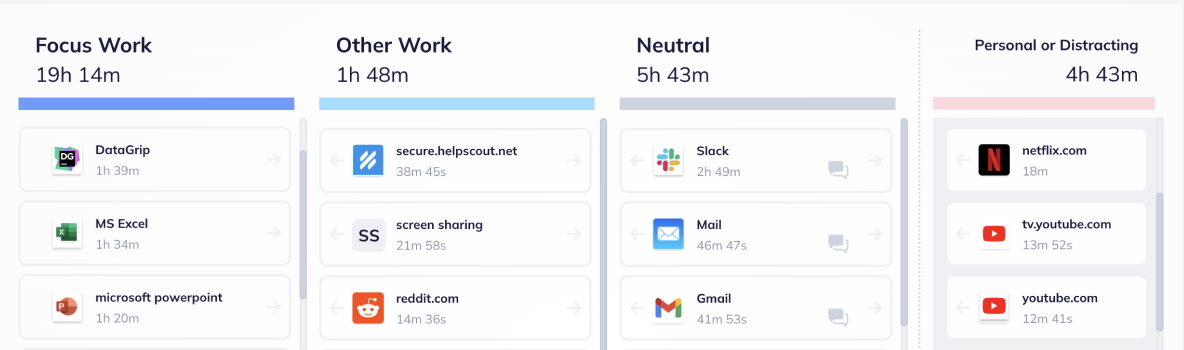
Toggl Track gives teams a clear, intuitive view of where their hours go — complete with calendar views, automated tracking, and customizable reports that highlight real productivity patterns. Its simple interface and 100+ integrations make time awareness effortless, helping individuals and teams turn raw data into smarter workdays.
Tools like Toggl Track or Clockify help you visualize your work hours and pinpoint distractions. Start small with 25-minute Pomodoro sessions or block out focus periods. End the week with a quick review of how you spent your time.
Tracking isn’t about micromanaging—it’s about awareness. Once you know your habits, you can design your day to support focus instead of fighting distraction.
https://www.youtube.com/watch?v=sYSRRmuufFc&t=2s
Simple Answers walks you through how different time-tracking tools can give you a clearer picture of your workday and help you stay focused. This walkthrough highlights ways to visualize your hours, spot hidden distractions, and make your work rhythm more intentional.
2. Task Management Tools: Turn Chaos Into Clear Action Plans
Knowing how you spend time is one thing. But without structure, tasks pile up and decision fatigue kicks in. That’s where project management tools like Asana or Trello come in.
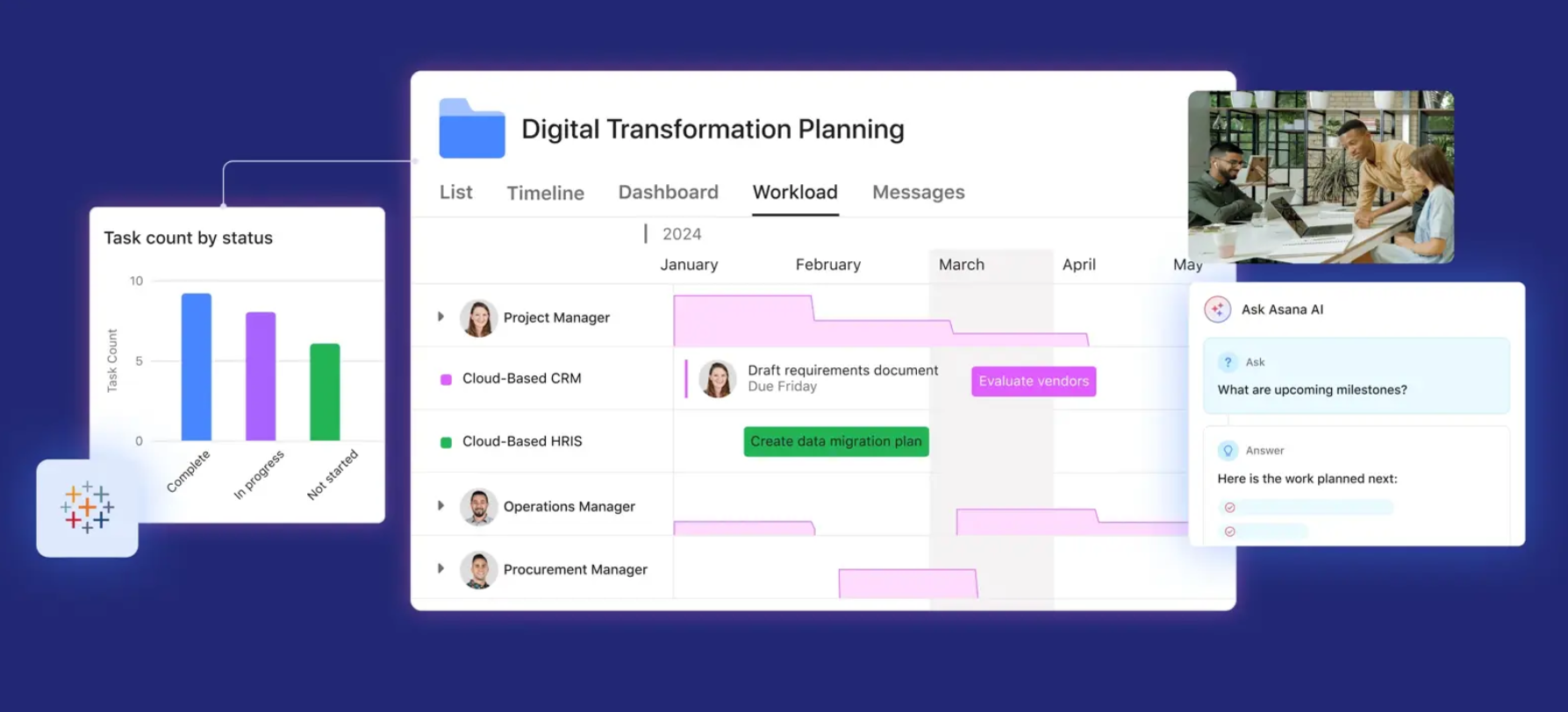
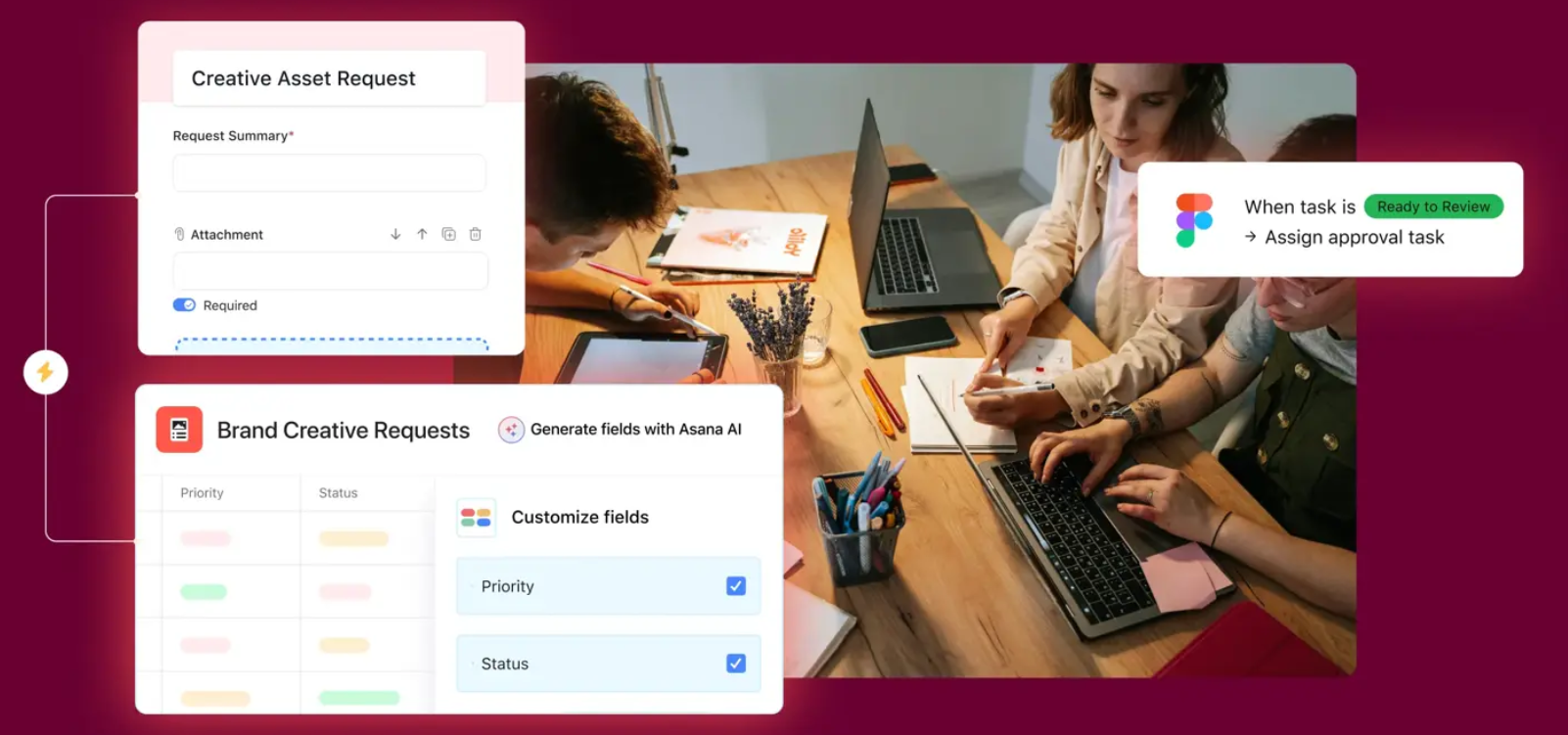
Asana brings every task, deadline, and workflow into one clear view, letting teams plan and execute without the usual chaos. With AI-supported organization and hundreds of integrations, it keeps projects aligned and responsibilities visible—turning scattered to-dos into a structured, momentum-building plan of action.
Break projects into actionable steps and assign deadlines. Visualize progress with boards or lists—each completed task fuels motivation. Highlight your top three must-finish items each week and keep them visible.
When your workload is organized, procrastination loses its power. Every day starts with direction instead of decision overload.
https://www.youtube.com/watch?v=pZMQ5I_Plt4
Marquis Murray walks you through how to structure tasks and projects in a remote work environment using Asana. This guide demonstrates ways to break work into actionable steps, visualize progress, and keep teams aligned—helping you turn a chaotic workload into clear, manageable action plans.
3. Communication Tools: Collaborate Without Losing Focus
Even the best plan falls apart with constant interruptions or unclear collaboration. Communication tools like Slack or Microsoft Teams keep your team connected without chaos.
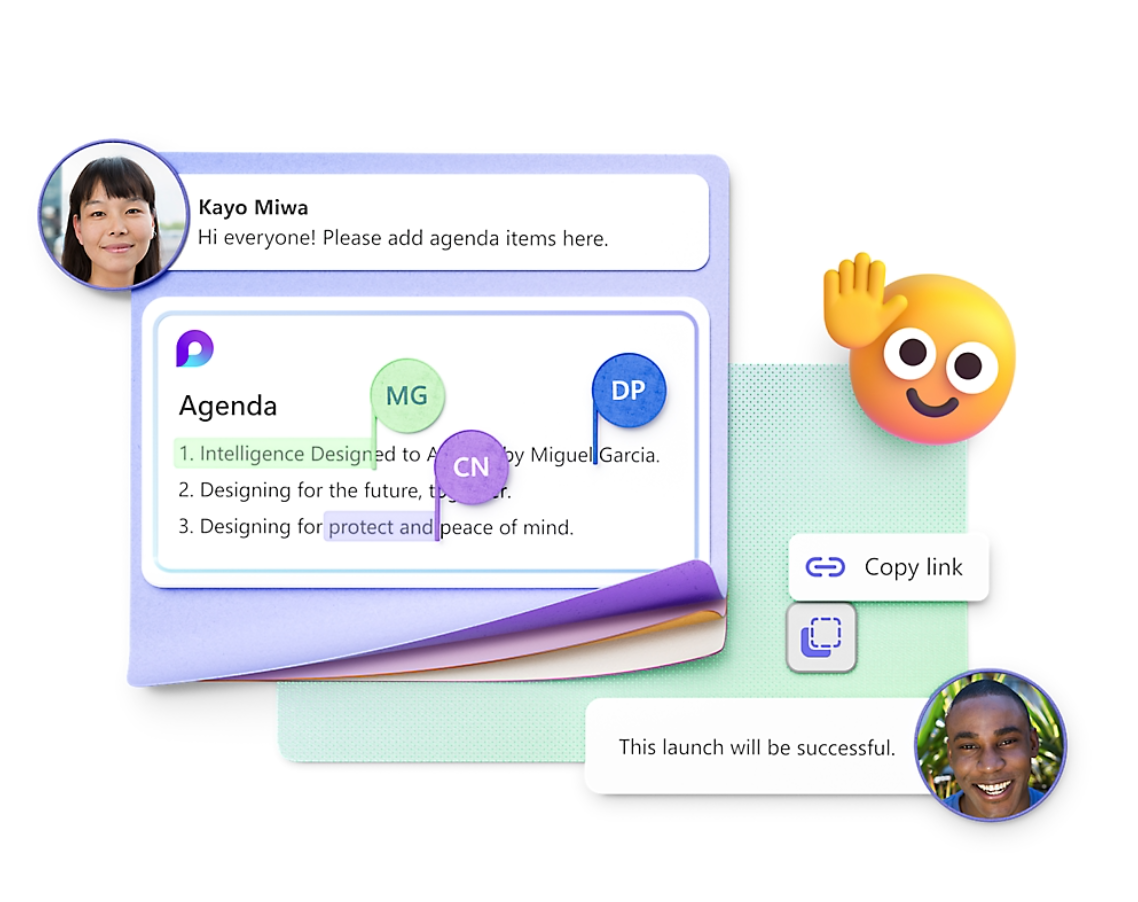
Microsoft Teams brings conversations, files, and collaborative spaces into one streamlined hub—making it easier to stay in sync without derailing deep work. With features like threaded chats, intelligent meeting tools, and AI-powered summaries, it keeps communication clear and focused so teams can move faster without the noise.
Set boundaries for deep work—silence notifications during focus blocks and use asynchronous updates for routine communication. End your day by summarizing progress for your team.
The result: seamless collaboration without endless pings or wasted hours waiting for replies.
https://www.youtube.com/watch?v=w_NOLTAzDaQ
Kevin Stratvert shares 20 practical tips and tricks for using Microsoft Teams more efficiently. From managing notifications and permissions to using shortcuts and collaboration features, this guide helps you stay connected without losing focus, making teamwork smoother and interruptions easier to manage.
4. Distraction Blockers: Protect Your Focus in a Digital World
You’ve organized your work and streamlined communication. Now comes the toughest part—staying focused.
RescueTime gives you a clear picture of where your time actually goes, using automatic tracking and focus tools to filter out digital noise. With insights, trends, and distraction-blocking sessions built in, it helps you create a workspace where deep focus isn’t accidental—it’s intentional.
Apps like RescueTime help identify where distractions come from and block them during key work periods. Pair this with the Pomodoro technique or longer 90-minute deep work sessions.
By removing external noise, your brain stays anchored to what truly matters—producing quality work without the mental tug-of-war.
https://www.youtube.com/watch?v=NIAGBbv_4qM
Daniel About Tech demonstrates how to set time limits for any app on your iPhone or iPad, helping you reduce distractions and stay focused during deep work sessions. It’s a simple way to reclaim control over your attention and protect your productivity in a digital world.
5. Workflow Analytics: Optimize How You Work
Once distractions are under control, it’s time to refine your process. Analytics dashboards in Toggl or Asana reveal patterns—your peak productivity hours, task bottlenecks, and hidden time drains.
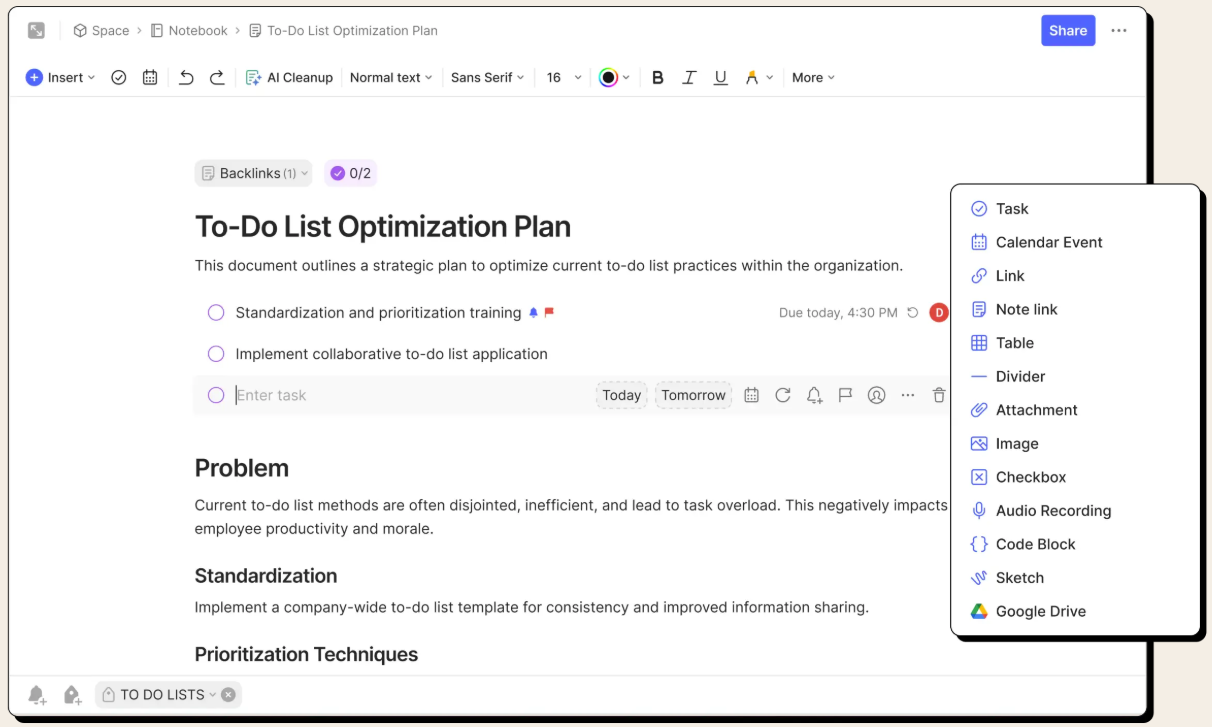
Asana brings structure to your workflow by capturing every detail—from incoming requests to final approvals—in one organized system. With automated steps and clear task handoffs, it highlights where work slows down and where it flows smoothly, helping you fine-tune your process based on real patterns rather than guesswork.
Review your data weekly and adjust your schedule accordingly. Productivity isn’t about doing more—it’s about doing what works best for you.
When you align your work rhythm with your natural energy, focus feels effortless.
https://www.youtube.com/watch?v=yqq_U2fxd2U
Vicky Zhao breaks down her 17-minute AI workflow for sharpening decision-making and elevating the way you process information. It’s a thoughtful look at how smarter systems—and smarter self-awareness—can help you fine-tune your work rhythm and uncover what truly boosts your productivity.
6. Automation Tools: Eliminate Repetitive Tasks
With your workflow tuned, it’s time to lighten the load. Repetitive admin work and manual processes can silently drain your time and energy.
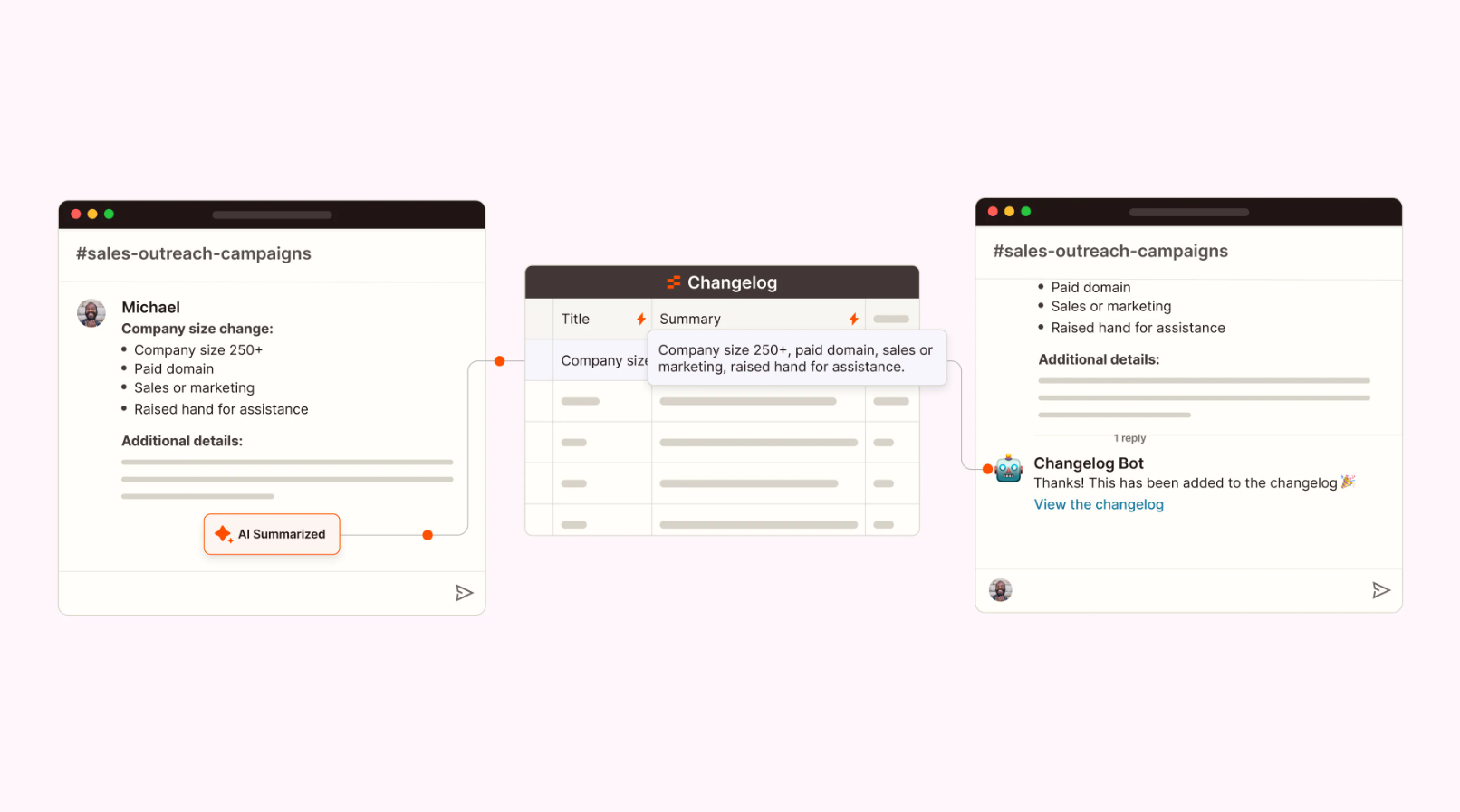
Zapier turns routine updates into hands-off workflows by capturing changes from tools like Slack and organizing them in one clean, centralized log. With AI summarizing each update, your systems stay aligned without the manual busywork—making automation an easy, low-effort win in your day.
Tools like Zapier or IFTTT connect apps and automate recurring tasks—like saving email attachments or updating spreadsheets.
Start by automating one routine task. Over time, automation compounds your productivity, freeing your brain for creative, high-impact work.
https://www.youtube.com/watch?v=xQk9qVSBFqo
Kenji Explains walks through a clever approach to simplifying repetitive spreadsheet work, showing how small, automated workflows can take a surprising amount of pressure off your day. It’s a practical reminder that even the most routine tasks can run in the background while you stay focused on the work that actually moves things forward.
7. Mindfulness Apps: Train Your Brain for Deep Focus
No tool can save you from mental clutter. When your mind races, focus collapses. Mindfulness apps like Headspace and Calm help train attention, reduce stress, and strengthen concentration.
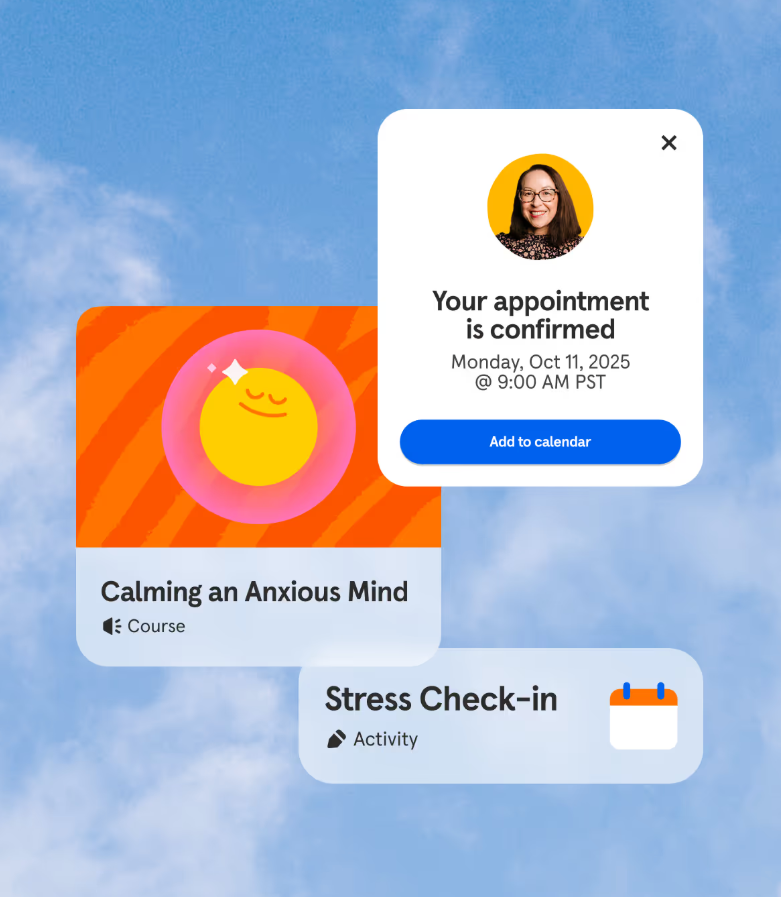
Headspace offers on-demand support that helps you slow down, breathe, and reset—whether you need a quick grounding exercise or deeper guidance from a coach or clinician. With thousands of evidence-based tools designed to reduce stress and build resilience, it strengthens the mental clarity you need to stay focused throughout the day.
Try a short guided meditation before work or between meetings. Even five minutes of breathing can reset your focus and prevent burnout.
Think of mindfulness as mental fitness—each session builds the stamina your brain needs for deep, sustained work.
8. Note-Taking Tools: Capture and Organize Your Best Ideas
Inspiration doesn’t follow a schedule. If you don’t capture ideas quickly, they vanish. Tools like Notion or Evernote serve as digital second brains—organizing notes, project ideas, and references in one place.
Evernote acts like a digital second brain—capturing ideas, documents, web clips, and to-dos the moment they surface. With synced notes, powerful search, and offline access, it keeps your best thoughts organized and accessible whenever inspiration strikes.
Link ideas to your task lists and review them regularly. Organized thoughts lead to faster decisions, smoother writing, and less mental clutter.
https://www.youtube.com/watch?v=3YyQu3c27qc
Koi dives deep into what makes a note-taking system actually work in real life, breaking down the strengths of different approaches so you can build a setup that supports clarity, creativity, and better thinking. It’s a thoughtful companion for anyone shaping their own “second brain.”
9. Gamified Productivity Apps: Make Work Feel Rewarding
When motivation fades, gamification reignites it. Tools like Forest and Habitica turn productivity into a game—you grow trees or earn rewards as you stay focused.
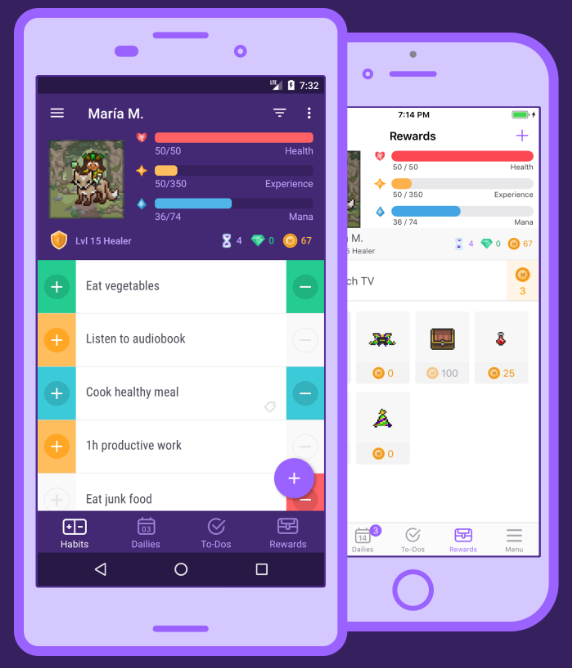
Habitica transforms everyday tasks into quests—helping you stay accountable with a customizable habit tracker, level-ups, and rewards that make progress feel fun again. Whether you’re building healthier routines, tackling school or work projects, or staying consistent on the go, its game-style visuals boost motivation right when you need it most.
It may sound small, but these visual cues trigger satisfaction and keep progress visible. Combine them with your task manager for a complete motivation loop that turns focus into fun.
https://www.youtube.com/watch?v=WRONq7Le23w
Lifehacker offers a fun look at how simple game-like systems can boost motivation and keep daily habits interesting. It’s a playful follow-up to this section, showing how small rewards and visual progress can make focus feel a little more like winning.
10. Wellness and Energy Tools: Fuel the Mind That Does the Work
Even the best workflow collapses without energy. Fatigue is the silent killer of focus.
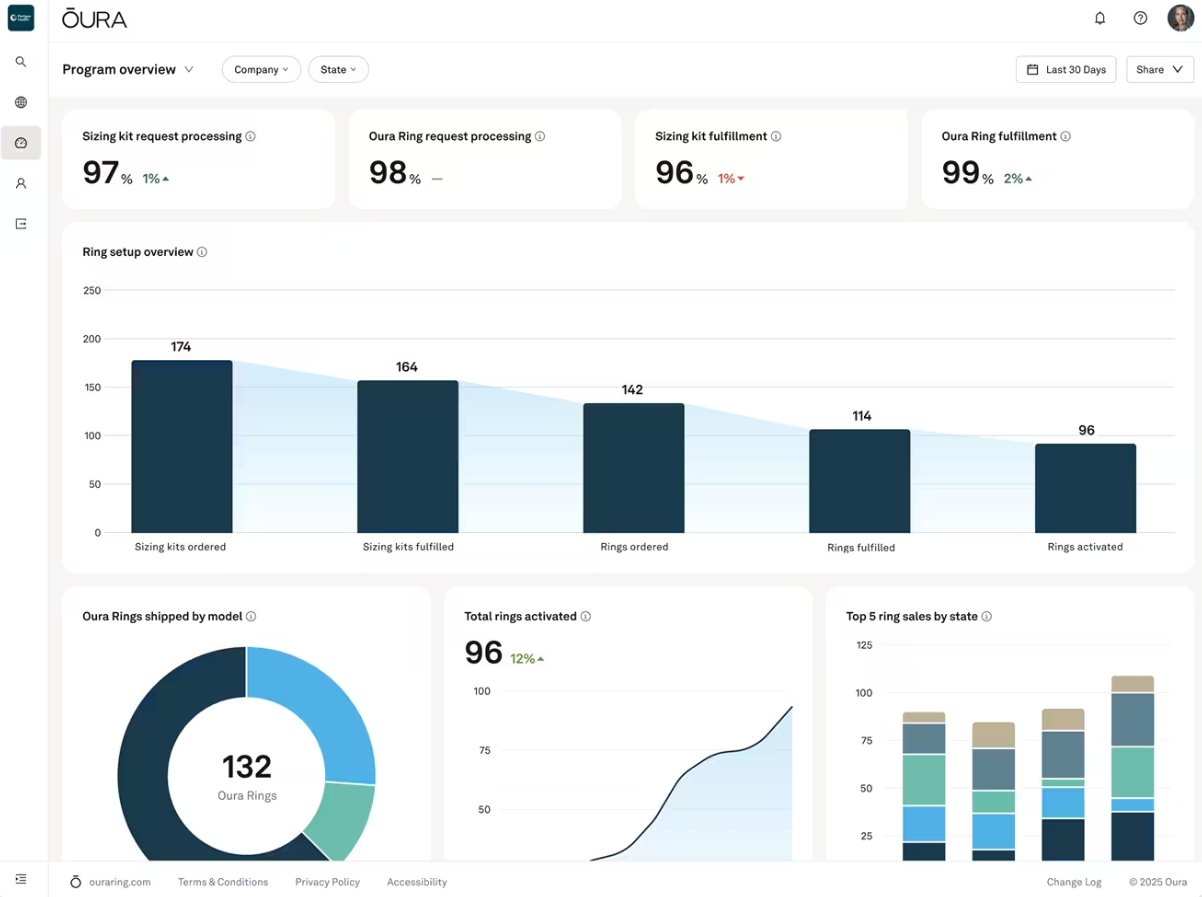
Oura delivers science-backed insights into sleep, recovery, stress, and daily readiness—helping you understand exactly what your body needs to stay energized and focused. With precise, finger-worn sensors and an intuitive app, it translates real health data into clearer decisions about rest, movement, and performance throughout the day.
Wearables like Oura Ring and Garmin Venu, along with hydration and movement apps, help you track sleep, remind you to move, and keep energy levels consistent throughout the day.
Schedule breaks, stretch, and listen to your body. Productivity isn’t just about managing time—it’s about managing energy.
https://www.youtube.com/watch?v=Pmd6knanPKw
Andrew Huberman offers a science-backed look at daily habits that support energy, focus, and long-term health. His breakdown of simple, strategic practices pairs well with the idea that productivity starts with a well-supported mind and body—reinforcing how small daily choices can power your entire workflow.
Your Remote Work, Reimagined
The truth is, remote work isn’t just about finding balance—it’s about building a system that lets you thrive anywhere. The right remote work tools don’t just make your job easier; they turn chaos into clarity, distraction into momentum, and burnout into mastery.
So as you shut your laptop today, imagine what your workday could look like with more focus, more freedom, and less noise. These tools aren’t just digital upgrades—they’re your blueprint for a calmer, more productive way to live and work. Because remote work isn’t the future anymore—it’s the present, and it’s yours to shape.
A coat often defines your whole fall look — it’s the piece people notice first. The problem is, price tags sting, fabrics sometimes feel flimsy, and...